


What Is a Music Looper Pedal?
A music looper pedal is one of the most powerful tools a musician can add to their setup. In simple terms, it records and plays back short loops of sound, allowing you to layer riffs, chords, and melodies in real-time. Whether you’re a guitarist, bassist, keyboardist, or vocalist, a looper pedal can transform your solo performance into a full, multi-layered soundscape.
Looper pedals have become essential for both studio recording and live performances. Artists like Ed Sheeran, Reggie Watts, and KT Tunstall have mastered the art of looping to create captivating live shows — all with just their instruments, voice, and a music looper pedal.
How Does a Music Looper Pedal Work?
A looper pedal works by recording a segment of your audio signal and playing it back on a continuous loop. You can then layer additional recordings on top to build complex arrangements.
Here’s a simple breakdown of how it works:
- Record: Press the pedal to record your first loop (e.g., a guitar chord progression).
- Play: The pedal plays the recorded loop automatically.
- Overdub: Add new layers by pressing the pedal again to record over the existing loop.
- Stop/Clear: Stop playback or erase your loops when you’re done.
Most modern looper pedals also allow undo/redo, reverse playback, and even loop storage for future use.
Why Every Musician Should Own a Music Looper Pedal
Owning a music looper pedal isn’t just for advanced musicians — it’s a game-changer for players of all levels. Here’s why:
- Practice tool: Perfect for improving timing, improvisation, and soloing skills.
- Songwriting aid: Quickly capture and experiment with musical ideas.
- Live performance enhancer: Create dynamic, layered performances without a backing band.
- Recording shortcut: Build multi-track demos easily without a full studio setup.
Pro Tip: Even a basic looper pedal can make you sound like a one-person band!
Types of Music Looper Pedals
Depending on your needs and budget, you can choose from several types of looper pedals:
| Type | Description | Best For |
|---|---|---|
| Single-Track Looper | Basic looping; one track at a time | Beginners, solo artists |
| Multi-Track Looper | Multiple loops layered independently | Advanced performers |
| Looper with Effects | Built-in delay, reverb, or distortion | Guitarists & sound designers |
| Loop Station (Professional) | Memory storage, tempo sync, and MIDI control | Live performers & producers |
Popular models include the BOSS RC Series, TC Electronic Ditto Looper, and Electro-Harmonix 720 Stereo Looper.
How to Use a Music Looper Pedal Like a Pro
1. Master Your Timing
The most important skill when using a music looper pedal is perfect timing. Press the pedal exactly at the start and end of your phrase — even a split-second delay can throw off your rhythm.
Tip: Practice looping with a metronome or drum track until your timing becomes second nature.
2. Start Simple
Begin with short, clear loops (e.g., a four-bar chord progression). Once comfortable, add layers such as lead lines, bass notes, or percussion.
3. Use Dynamics and Texture
Avoid making all loops sound equally loud or busy. Mix things up:
- Add soft background pads or percussive hits.
- Use volume swells to fade in new layers.
- Combine rhythmic loops with melodic elements for depth.
4. Integrate Effects Creatively
If your pedal or amp has built-in effects, use them strategically. For example:
- Add delay for space.
- Apply reverb for atmosphere.
- Use distortion to emphasize certain layers.
This creates contrast and keeps your loops interesting.
5. Plan Your Loop Structure
Professional loopers plan their loops like mini-arrangements:
- Loop 1: Base rhythm or chord progression
- Loop 2: Bassline or harmony
- Loop 3: Melody or solo
- Loop 4: Percussion or vocal elements
This structured approach makes your performance sound intentional, not chaotic.
Common Mistakes to Avoid
Even seasoned players make errors when learning looping. Avoid these common pitfalls:
- Overlooping: Too many layers can muddy your sound.
- Poor timing: Sloppy loop start/end points create uneven playback.
- Ignoring EQ balance: Ensure each layer occupies its own frequency range.
- Not rehearsing transitions: Practice switching loops or sections smoothly.
FAQ: Music Looper Pedal Basics
Q: Can I use a looper pedal without a band?
Yes! That’s one of the main benefits — you can perform solo while creating the sound of a full ensemble.
Q: Can vocalists use looper pedals?
Absolutely. Many vocalists use loopers with microphones to layer harmonies and beatbox rhythms.
Q: Do I need an expensive pedal to start?
Not at all. Budget models like the TC Electronic Ditto offer high-quality looping at an affordable price.
Best Practices for Live Performance with a Looper
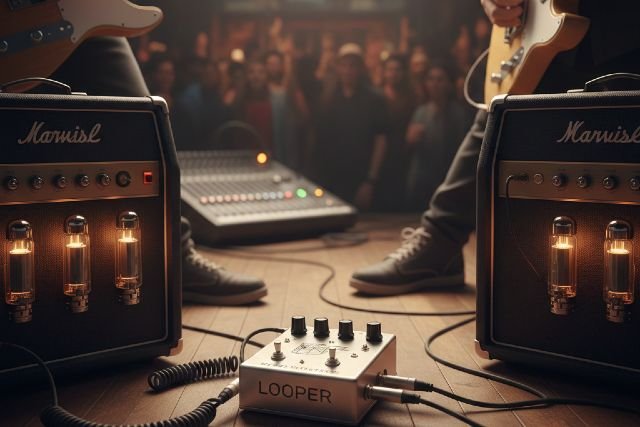
If you’re planning to use a music looper pedal on stage, keep these professional tips in mind:
- Use visual cues to sync loops with your movements.
- Label your loops or use different colors if your pedal allows it.
- Set proper gain levels to avoid distortion.
- Save pre-recorded loops for complex sections.
Also, test your setup before performing live — sound checks are your best friend!
Top Recommended Music Looper Pedals (2025)
| Brand | Model | Notable Features | Price Range |
|---|---|---|---|
| BOSS | RC-5 Loop Station | 99 memory slots, rhythm guide, MIDI sync | $$ |
| TC Electronic | Ditto+ Looper | True bypass, 60-minute record time | $ |
| Electro-Harmonix | 720 Stereo Looper | Stereo I/O, reverse, and half-speed | $$ |
| Line 6 | DL4 MkII | Looper + multi-effects | $$$ |
| Headrush | Looperboard | Touchscreen, multitrack, full editing | $$$$ |
Conclusion: Master Your Sound with a Music Looper Pedal
A music looper pedal is more than just a gadget — it’s a gateway to creativity and self-expression. By mastering timing, layering, and effects, you can elevate your sound from basic riffs to dynamic performances. Whether you’re practicing at home or performing on stage, looping empowers you to become a one-person band with limitless possibilities.














Leave a comment